
Browser Storage & Recovery
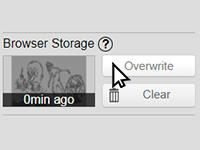
Browser storage lets you store a local snapshot of your image, including layers, inside your browser.
Important Limits
Section titled “Important Limits”- Browser storage does not replace saving files to your device.
- Browser data can be cleared by the browser, the operating system, or cleanup tools.
- Storage is manual. It is not autosave.
Tab Recovery
Section titled “Tab Recovery”Kleki stores recovery data for open tabs after a short period and updates it while you work. If a tab reloads, Kleki can restore the recovery automatically.
You can also manage recoveries from File > Recover closed tabs.
Recoveries are temporary and limited in total size. Treat them as protection against accidents, not as your main way to save work.
Prevent Browser Refreshes
Section titled “Prevent Browser Refreshes”Chrome and some other browsers include memory-saving features that can unload inactive tabs. If Kleki refreshes after switching tabs, add https://kleki.com as an exception in your browser’s memory saver settings.